Reporting & Analytics
Access all your salon reports — sales, finance, and team performance
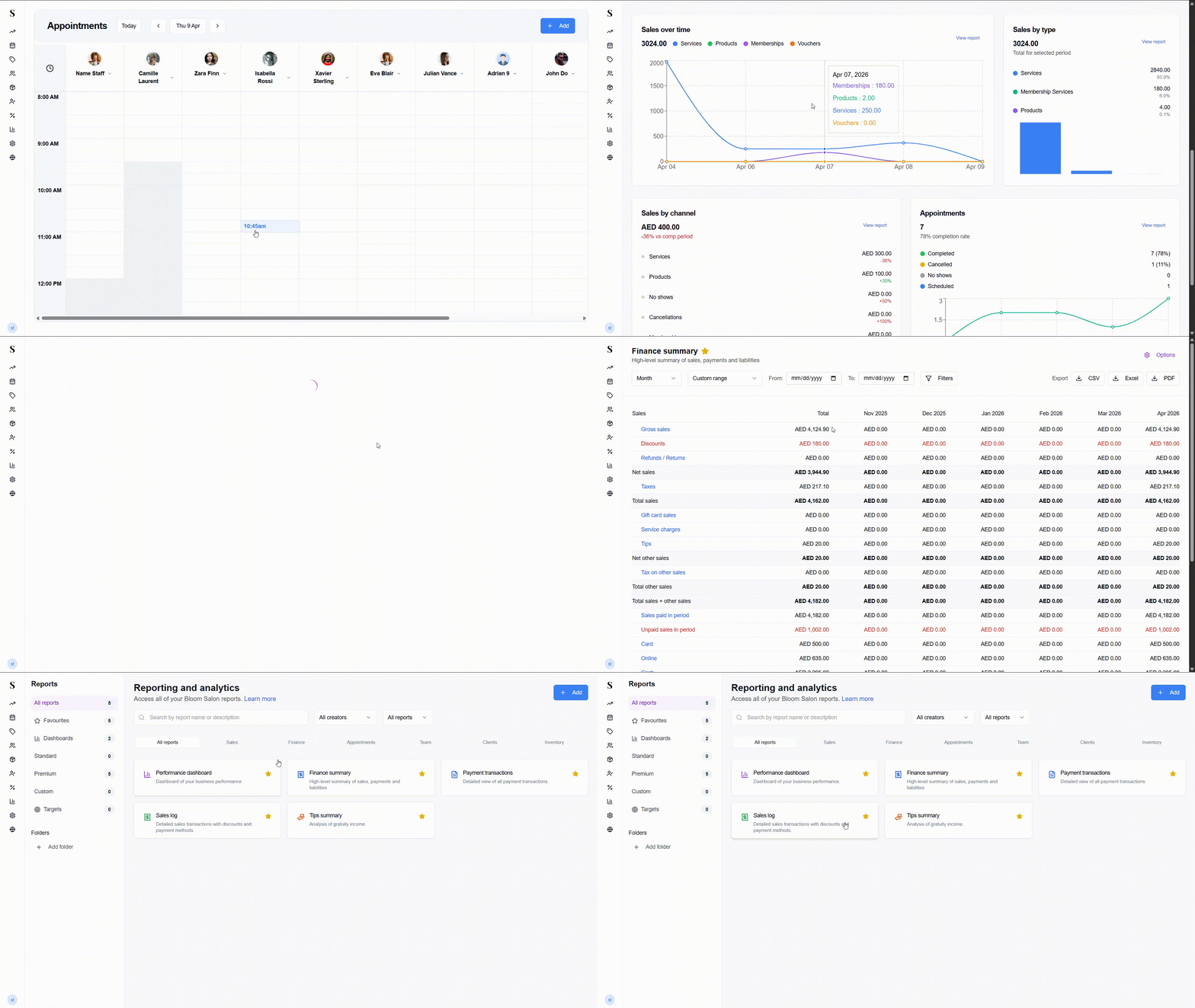
The Reports section gives you a deeper look at your salon's performance beyond the day-to-day. All reports are filterable, exportable, and organised by category so you can find what you need quickly.
Click Reports in the left menu to get started.
Reports are only accessible to admin users.
Finding a report
The main reports page shows all available reports as cards. You can:
- Search by report name or description
- Filter by creator using the All creators dropdown
- Filter by type using the All reports dropdown
- Browse by category using the tabs across the top: All reports · Sales · Finance · Appointments · Team · Clients · Inventory
The left sidebar organises reports into:
| Category | What's in it |
|---|---|
| All reports | Every report in one place |
| Favourites | Reports you've starred for quick access |
| Dashboards | Visual overview reports (e.g. Performance dashboard) |
| Premium | Premium-tier reports |
| Folders | Custom folders you create to organise reports |
Star any report card to add it to your Favourites.
Available reports
Performance Dashboard
(Dashboards)
A visual overview of your salon's performance. Shows key metrics, charts, and trends across revenue, appointments, services, and staff — all in one place.
Sales Log
(Sales)
A detailed record of every sale — including the services sold, discounts applied, payment methods used, staff member, and client. Use this when you need to trace a specific transaction or review sales over a period.
Filters: Date range, location, team member, client, payment method.
Export: CSV, Excel, PDF.
Finance Summary
(Finance)
A period-by-period breakdown of your sales, payments, and liabilities. Perfect for month-end reviews and accounting.
Choose how to group the data:
| Period | What you'll see |
|---|---|
| Day | Last 30 days, one column per day |
| Week | Last 4 weeks |
| Month | Last 6 months (default) |
| Quarter | Last 4 quarters |
| Year | Last 3 years |
Export: CSV, Excel, PDF.
Payment Transactions
(Finance)
A full log of every individual payment collected. Use this to verify payment method totals or trace a specific transaction.
Filters: Date range, location, team member, payment method, transaction type, amount range.
Export: CSV, Excel, PDF.
Tips Summary
(Team)
An overview of all tips received, broken down by staff member. Shows total tips, number of tipped transactions, average tip, and tip percentage for each person.
Filters: Date range, location, team member, payment method.
Export: CSV, Excel, PDF.
Export options
All reports can be exported in:
| Format | Best for |
|---|---|
| CSV | Importing into a spreadsheet |
| Excel (.xlsx) | A formatted, ready-to-share spreadsheet |
| Printing or sharing outside the system |
Date range options
All reports use the same date picker with quick presets:
- Today / Yesterday
- Last 7, 30, or 90 days
- Last week / Last month / Last 3, 6, or 12 months
- Week-to-date / Month-to-date / Quarter-to-date / Year-to-date
- Custom start and end date